
If you have WMF or EMF files that you want to preview, download our free metafile viewer.
PC graphics and forms are stored and exchanged as Windows Metafile (WMF) and Enhanced Metafile formats (EMF). These are the fundamental graphics format for the Windows operating system (macOS uses PDF in the same way). Metafiles formats are containers that hold images, vectors, text and additional information about the graphic. Other metafile formats are PDF, SVG, and EPS.
Metafile formats are like recorders. They playback all the information contained in a file to the screen or a page. Technically, they are vector formats but it’s possible for a metafile to simply be one container holding a bitmap. It can also be a complex report page with text, fonts, charts, and metadata.
What’s the Difference between WMF and EMF?
Windows Metafiles are the original Windows graphics format. They are 16-bit metafiles that work in both 16- and 32-bit versions of Microsoft Windows to display graphics. Windows also calls these “pictures”.
Enhanced metafiles were introduced with the 32-bit versions of Windows. Enhanced metafiles hold more information than WMF. This can give rise to incompatibilities since the format can be customized. WMF has no variations so it’s a safe choice as an interchange format.
Using PDF in PowerPoint & Visio
Microsoft PowerPoint and Visio both use metafiles as their native graphic format. We have programs that convert PDF into metafile formats so they can be opened and edited in these popular Windows apps. pdf2picture is a Windows program that converts PDF into all current vector and image formats. It’s handy software to have in your toolbox. We also have add-ins for Microsoft PowerPoint and Visio.


Using Windows Metafiles
As an operating system level format, WMF and EMF can not be easily previewed. You can open them in a Windows application such as Word or PowerPoint. You can also use our free Windows Metafile Viewer. It’s a sample application that we developed to demonstrate the power of our SDK for Windows.
If you need to work with Metafiles as a developer or systems integrator, check out our Developer Center. We have both an API and command-line tools for converting WMF and EMF to PDF and other vector and image formats. If you have a specific project, please contact us. It’s likely that we can help!
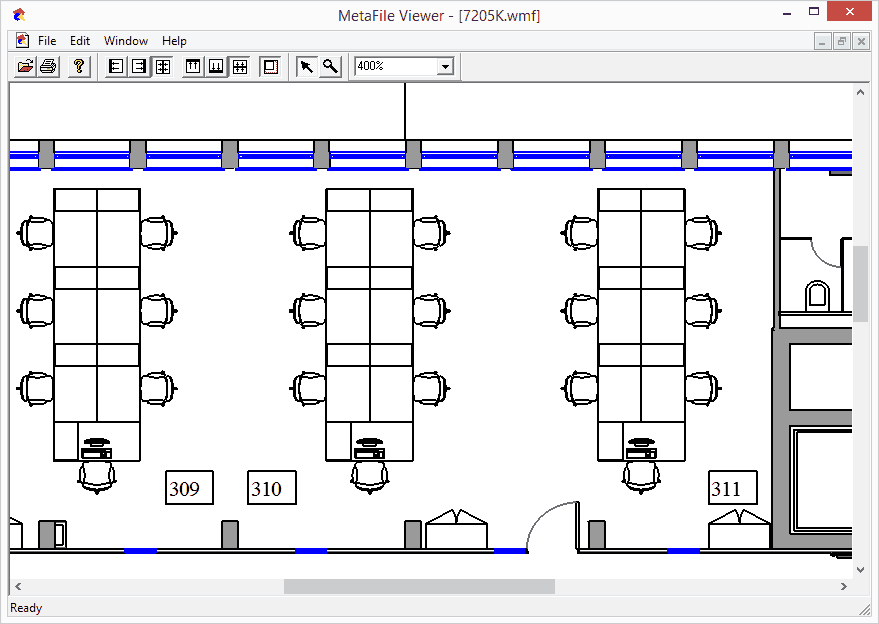
The Metafile Viewer is free!
Click Here to Download Free WMF Viewer Now
The free WMF Viewer installs on any Windows system and offers the following features:
- Loads and views both 16-bit Windows Metafiles (.wmf) and 32-bit Enhanced Metafiles (.emf)
- Support for vector graphics, raster images and text with fonts
- Fast performance
- Ability to view multiple files (tile, cascade)
- Unlimited zooming capability for large, detailed drawings
- Zoom box functionality
- Scaling and alignment options
- Print to Windows printers
Copyright (C) 1995-2020. Visual Integrity. The Metafile Viewer is free software; you can redistribute it and/or modify it under the terms of the GNU General Public License as published by the Free Software Foundation. This program is distributed in the hope that it will be useful, but WITHOUT ANY WARRANTY; without even the implied warranty of MERCHANTABILITY or FITNESS FOR A PARTICULAR PURPOSE. See the GNU General Public License for more details. This is the only product from Visual Integrity governed by the GNU GPL.